Case Study
Stakeholder Timeline Generator
A Python-based visibility tool I built during a live training rebuild to turn a structured project tracker into a shareable status timeline for internal stakeholders, the client, and leadership.
Overview
During my Bausch + Lomb Surgical Customer Service training rebuild engagement, one of the earliest delivery challenges was stakeholder visibility. The work involved many moving parts, shifting dates, and a growing set of deliverables that needed to stay understandable to both internal contacts and the client.
Manual status updates were not enough. Stakeholders needed a clearer way to see what was in progress, what had moved, what was complete, and what still needed attention.
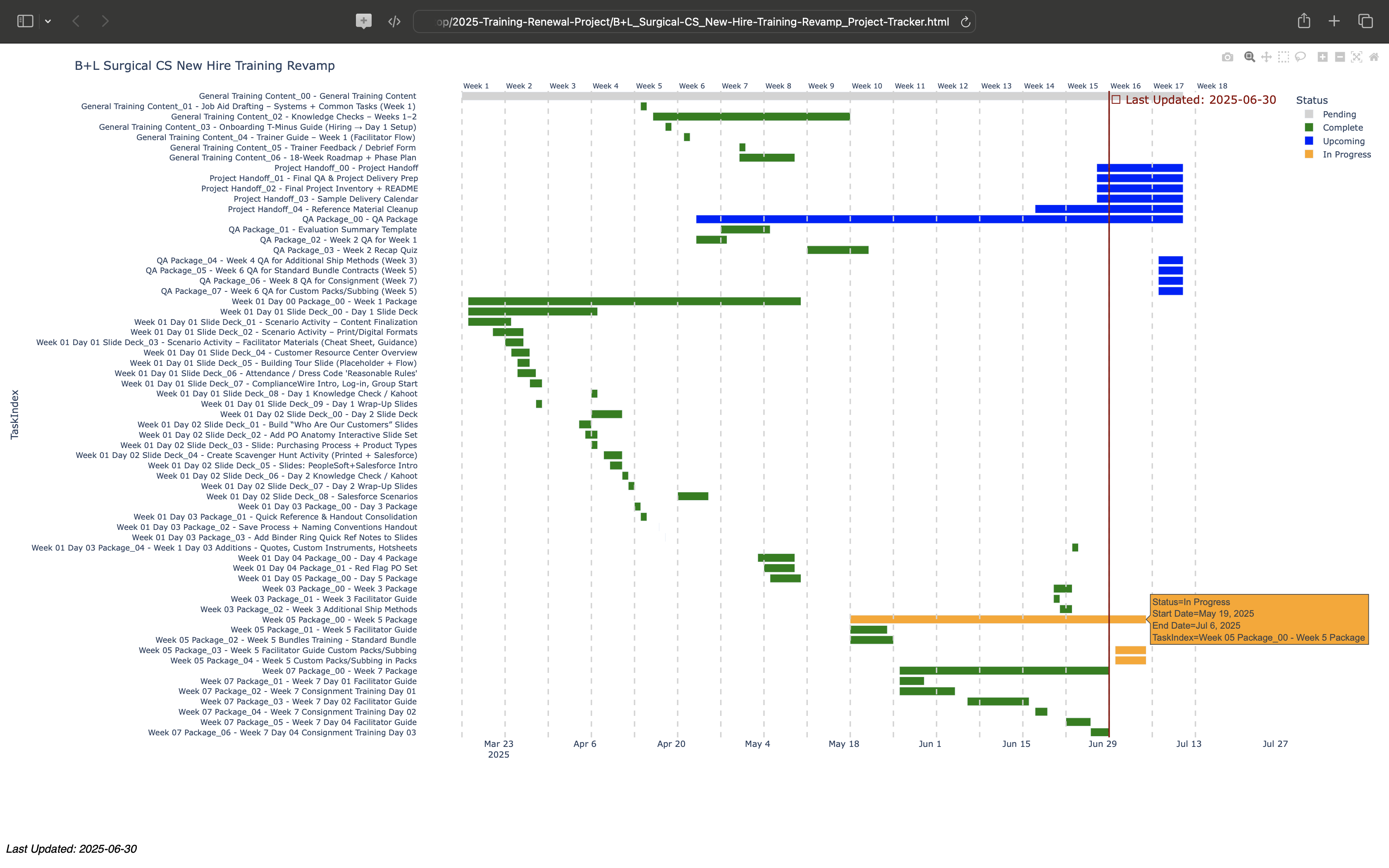
To solve that, I built the Stakeholder Timeline Generator, a Python-based tool that converted a structured Excel tracker into a shareable HTML timeline. The output lived in the client’s shared drive under a consistent filename, giving stakeholders a current view they could open anytime without waiting for a rewritten update.
Challenge
The training rebuild was not difficult only because of content volume. It also required continuous communication around shifting timelines, changing priorities, and active workstreams across multiple deliverables.
Early in the engagement, a recurring friction point was that stakeholders needed a clearer, always-current picture of project status. Static updates and manually rewritten summaries took time to maintain and were harder for leadership to scan quickly.
- Project dates and deliverables changed often during the rebuild
- Manual updates made it harder to keep everyone aligned on current status
- Leadership needed a quick visual way to understand progress and shifting scope
- Repeated status questions created avoidable communication overhead
Approach
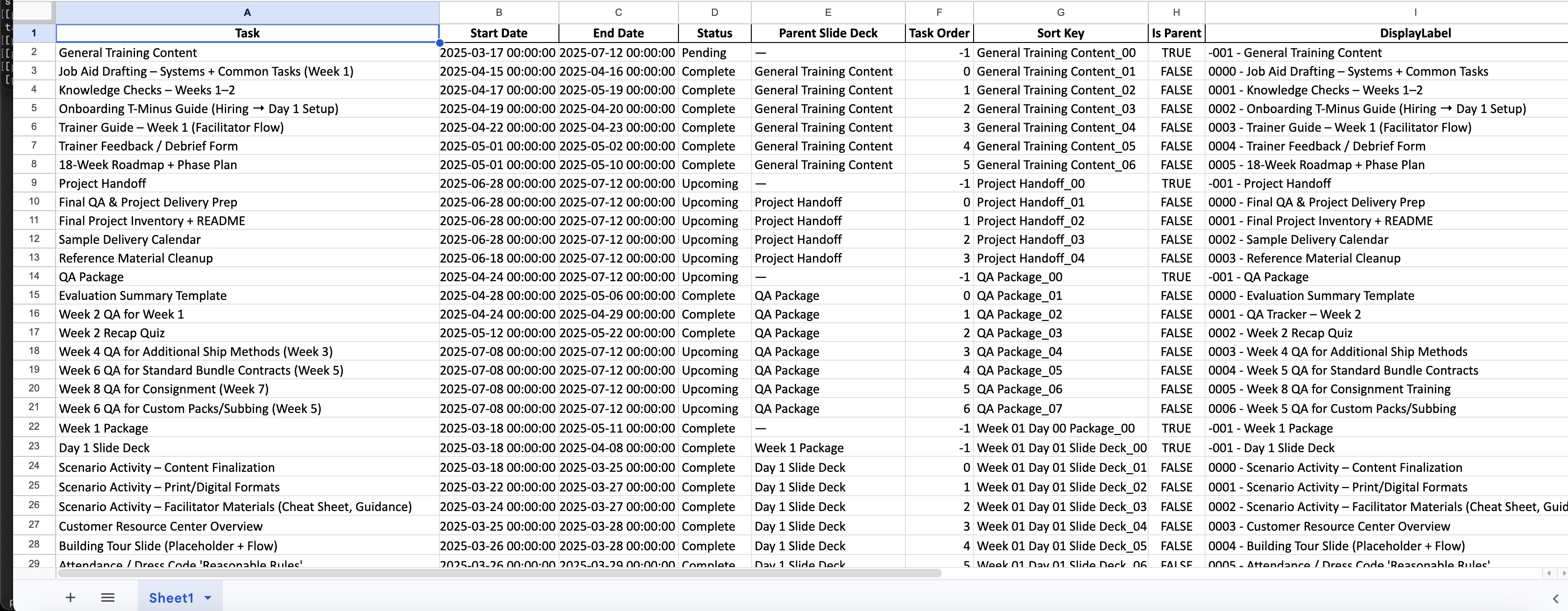
I designed both the working structure and the visibility layer around it. I maintained a structured Excel tracker that captured the fields needed to support a useful timeline, including task name, project phase, artifact grouping, status, sequencing, and expected dates.
From there, I built a Python tool that could read the tracker, interpret project state, and generate a stakeholder-facing HTML output.
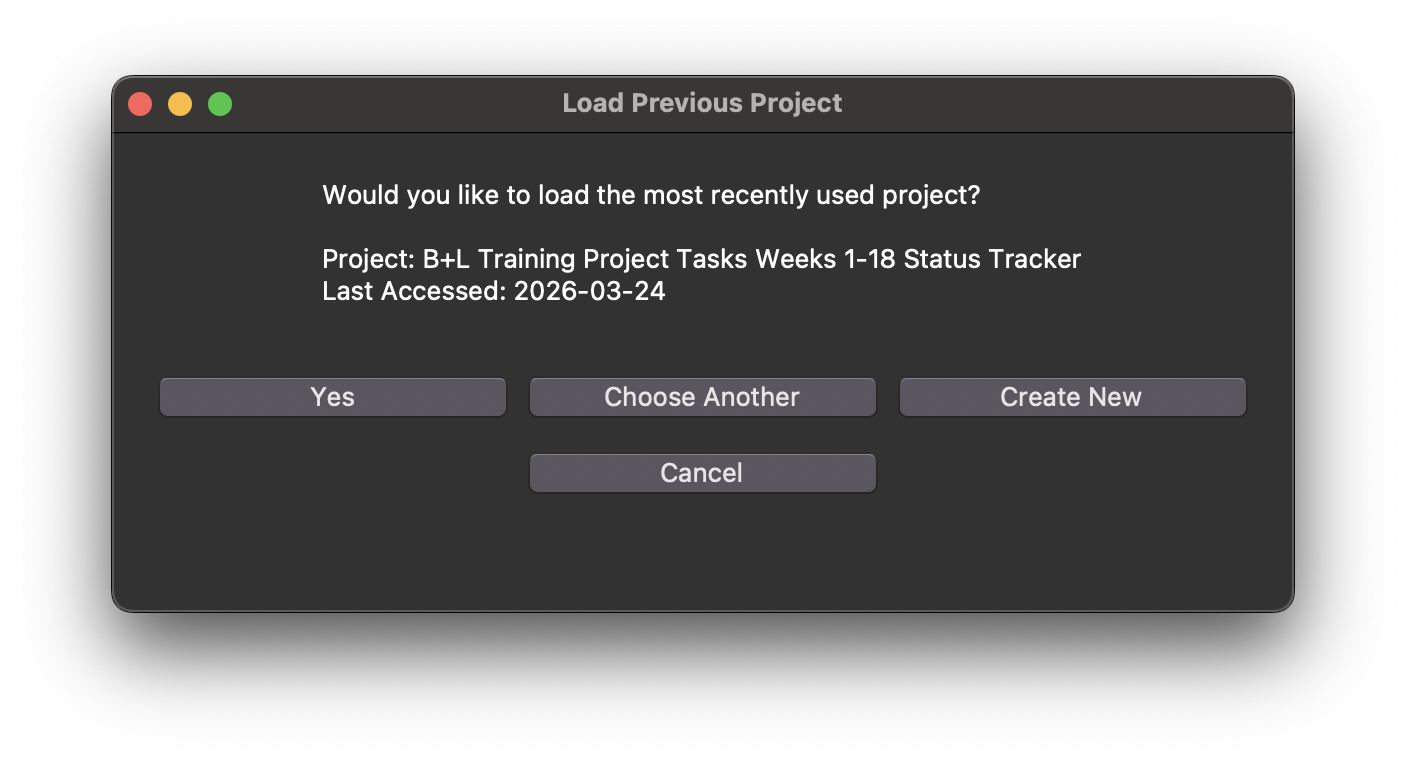
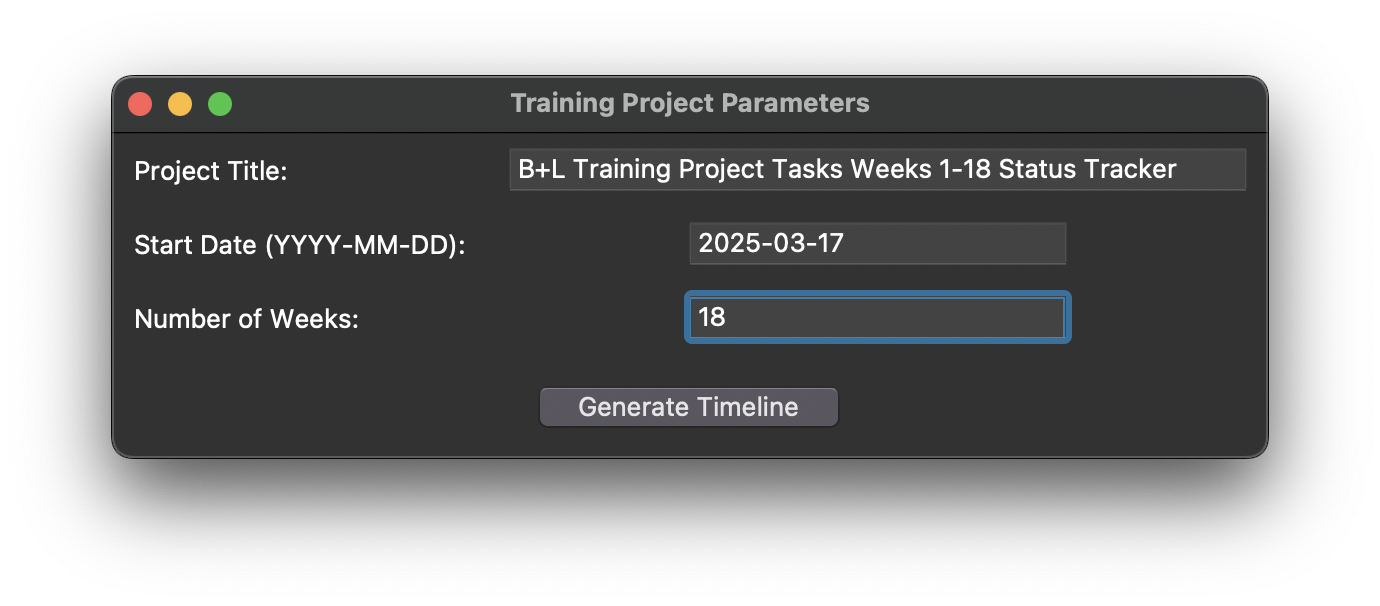
- Built a small GUI to create or reopen a project
- Stored project state and last-used settings through JSON/config files
- Read structured Excel data to drive timeline generation
- Generated a Gantt-style HTML output with a legend and status color-coding
- Automatically marked incomplete overdue items in red when expected end dates passed
- Published the output to the client’s shared drive using the same filename each time
That consistency mattered. Stakeholders did not need a new link or a custom message every time something changed. They could simply open the latest version.
My Role
I was the contractor responsible for the full rebuild, and I developed and maintained this tool as part of my normal delivery rhythm. This was not a one-off utility. It became part of how I managed visibility throughout the engagement.
- Identified the stakeholder communication gap early in the project
- Designed the tracker structure and status logic behind the tool
- Built the Python solution and maintained its project configuration
- Maintained the source data used to generate the output
- Regenerated the timeline several times a week, before meetings, and whenever status changed
- Used the output directly in stakeholder communication and leadership-facing updates
Outcome
The Stakeholder Timeline Generator gave stakeholders and client leadership a self-serve visual status view they could use without waiting for a custom written update. It made shifting timelines easier to understand, reduced routine “Where are we on X?” messages, and made leadership updates smoother.
It also gave the client a cleaner way to share project status upward when progress and budget needed to be discussed. More broadly, it reflects the kind of work I like to do: identifying where communication is breaking down, then building practical systems that make complex work easier to see, manage, and trust.
Selected Screens